
October 12, 2026
There is a short period in every new home or major remodel when adding infrastructure is relatively inexpensive: after the design is sufficiently resolved, but before the walls and ceilings close. Miss that window and simple changes can become demolition.
This does not mean every technology product needs to be selected before rough-in. Products will change. The goal is to make the decisions that affect permanent pathways, power, ceiling conditions, wall controls and equipment locations while the building can still accommodate them cleanly.
These are the five decisions Regent5 recommends resolving before electrical and low-voltage rough-in begins.

Category cable, fiber, speaker wire, control wiring and conduit are inexpensive compared with reopening finished plaster, stone or millwork later. The design team should identify the rooms and structures that are likely to need connectivity even if the final endpoint device has not been selected.
Typical pathways include wireless access points, televisions, cameras, intercoms, gates, touchscreens, shade power, ceiling speakers, equipment rooms, detached structures and strategic spare conduit. For larger properties, fiber between buildings can be a more durable backbone than trying to stretch copper or wireless links across an estate.
Infrastructure should also be documented. A spare cable that nobody can find after drywall is barely more useful than no spare cable at all.

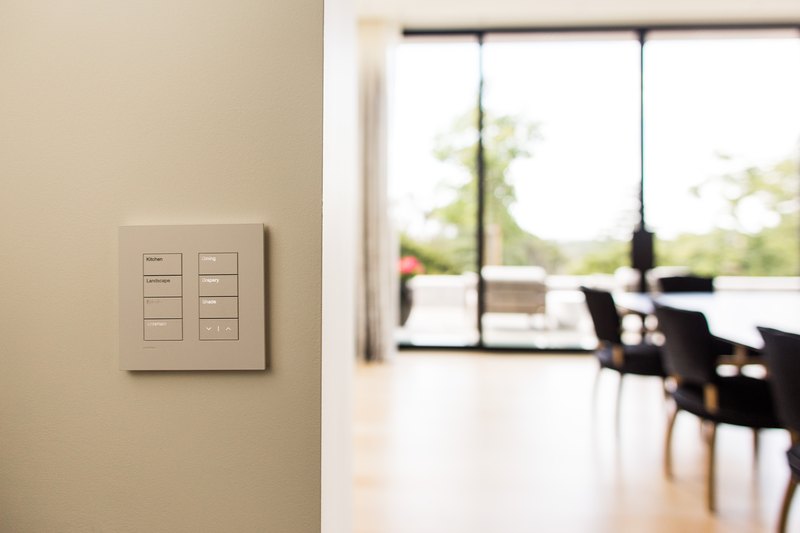
Lighting and shades change the architecture. A centralized HomeWorks system affects panel and circuit design. Ketra and Rania Intelligent Lighting affect fixture power and RF architecture. Motorized shades need pockets, power, fabric clearances and service access. Keypads need wall locations, backboxes and finish coordination.
These decisions should be made while the reflected-ceiling plan and elevations are still editable, not after the electrician has already laid out rows of conventional dimmers and the framer has closed every shade pocket.

For current design options, see our Lutron keypad guide, Intelligent Lighting guide and motorized-shade family guide.
Wi-Fi coverage is not a product-selection exercise. Access-point locations depend on structure, materials, floor plan, outdoor areas and where wired backhaul can be brought. Cameras need views, power and data. Gates and intercoms need long pathways and often live far from the main network rack.
Before rough-in, the team should map wireless access points, camera positions, entry stations, equipment cabinets, exterior Wi-Fi, detached buildings and the structured-cabling backbone that connects them.
That is especially important in concrete, steel, stone or large-glass residences where wireless propagation is difficult. The ceiling access point that looks unnecessary on paper can become impossible to add cleanly after the Venetian plaster is complete.
See our Wi-Fi 7 guide for large homes and estate security and surveillance overview.
A television location affects power, data, blocking, millwork, viewing height and sometimes ventilation. A projector affects throw distance, ceiling structure and screen pockets. Architectural speakers affect lighting, sprinklers, HVAC diffusers and acoustics. Subwoofers and equipment can affect cabinetry.
The best hidden-technology result is rarely achieved by selecting a smaller gadget at the end. It is achieved by giving the device a designed place in the architecture from the beginning.
Audio requirements should be room-specific. A kitchen needs even background coverage. A dedicated theater needs controlled dispersion and acoustic planning. A terrace needs weather-rated loudspeakers and wiring designed for outdoor distances. A home office needs intelligible conferencing audio more than cinema output.
For current multiroom audio options, see our Sonos whole-home audio guide and audio/video design page.
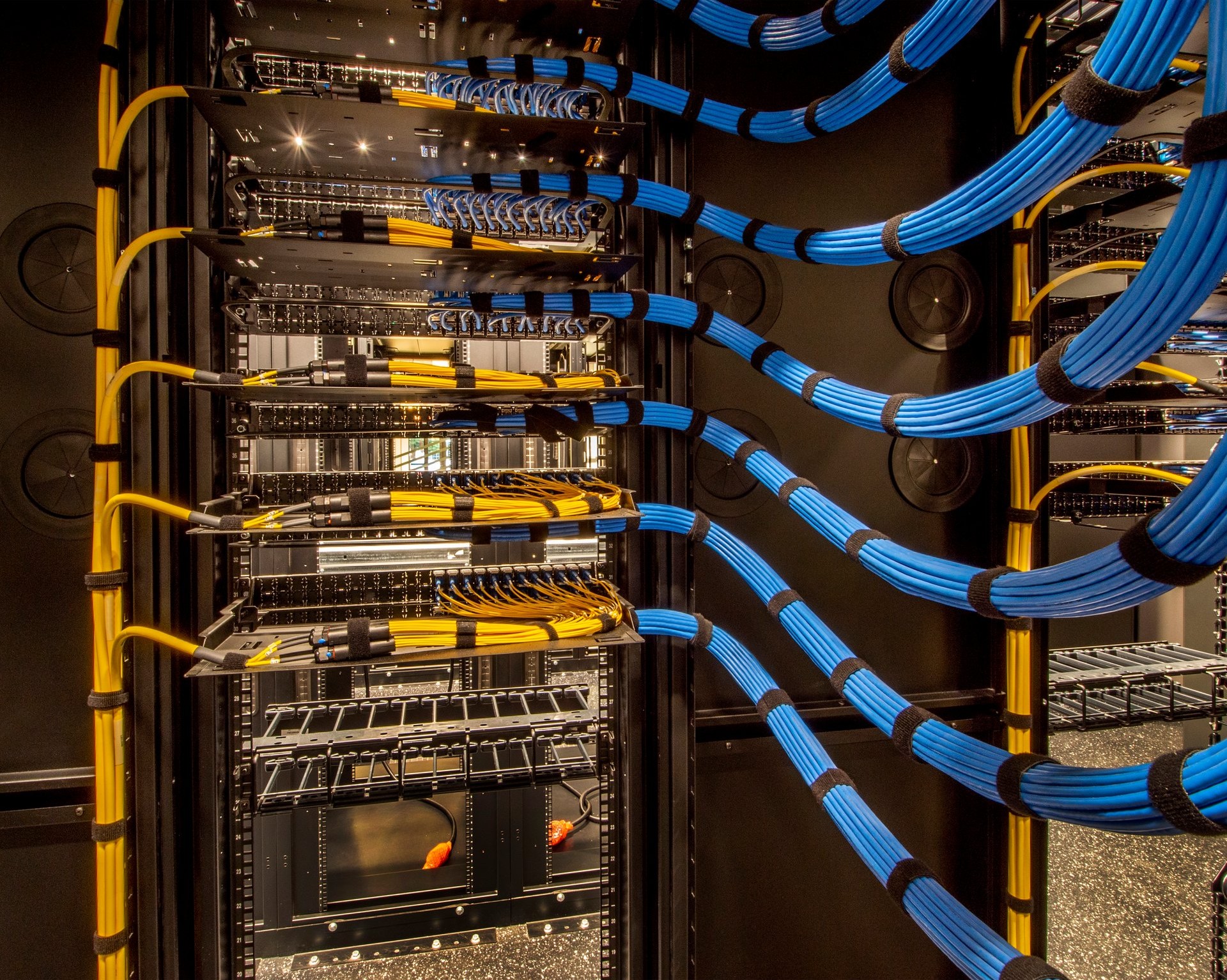
Technology needs physical space. Network switching, automation processors, surveillance recording, audio amplifiers, fiber termination, UPS equipment and AV distribution should not be squeezed into whichever closet remains after the floor plan is finished.
The equipment room needs rack space, dedicated electrical circuits, ventilation or cooling as required, service clearances and usable cable pathways. Critical network/control equipment should have an appropriate UPS strategy, and the broader project should decide how batteries or a generator affect technology loads during an outage.
Our AV rack design guide covers this in detail.
Do not freeze fast-moving consumer electronics years before move-in unless the architecture truly depends on them. Television models, streaming boxes and many endpoint devices can be selected later.
Instead, rough in for the category: correct conduit, blocking, power, data, ventilation and usable dimensions. That preserves choice when a better display or source device exists at the end of construction.
A clean technology project needs more than an equipment proposal. Electrical plans, low-voltage drawings, reflected-ceiling plans, interior elevations and architectural details need to agree about keypad locations, shade pockets, speaker apertures, access points, display heights, equipment areas and pathways.
Regent5’s residential technology preconstruction and low-voltage engineering process is built around that coordination, including engineering, CAD documentation, electrical/low-voltage scope and construction support.
For the broader checklist, see our 20 smart-home planning decisions for new construction and remodeling.
Regent5 works with homeowners, architects, interior designers and builders on custom homes throughout the San Francisco Bay Area and Northern California. The best time to bring us into a project is while the drawings can still change, before electrical rough-in, low-voltage rough-in and finish coordination are locked.
Contact Regent5 to review a new home or major renovation before rough-in.


.svg)
