
October 12, 2026
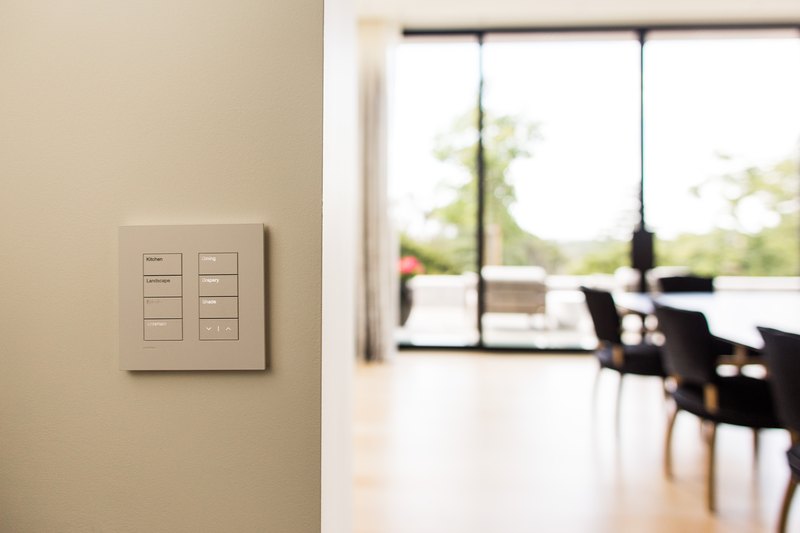
It is a common moment for a new homeowner on the Peninsula: the house has a Lutron keypad by the front door, a Savant or Control4 remote in a drawer, and nobody has the app login, the programming file, or a phone number for whoever installed it. The system usually still works in some basic sense. It just is not really yours yet.
Automation systems are typically registered to the person who commissioned them, not the property itself. When a house sells, that registration does not automatically transfer, and sellers do not always think to hand over credentials, especially if the sale happens through an estate or a fast close. The previous integrator may also no longer operate in the area, may no longer be an authorized dealer for the platform installed, or may not respond to a call from someone who isn't their client of record.
Without admin access, you typically cannot add or remove user profiles, change scenes, update keypad programming, or grant a housekeeper or property manager their own limited access. Firmware updates may stall entirely, since most platforms require an authenticated account to push updates. If a component fails, a new integrator has to reverse-engineer the system before they can even quote the repair, because there is no wiring diagram or programming backup to start from. On a Lutron HomeWorks system specifically, this means the project file, the record of every keypad, zone, and scene, may not exist anywhere accessible, which turns even a simple change, like renaming a room, into a rebuild.
If you're still in escrow, ask the seller's agent for the name of the installing integrator, any user manuals or system documentation left in the house, and whether admin credentials can be transferred as part of the sale. Even a partial answer, like a company name and rough install date, saves real time later, because it tells a new integrator what platform generation they're walking into before they set foot on the property.

Regent5 services existing Lutron, Savant, Control4, Crestron, and Vantage systems regardless of who installed them. That typically starts with an on-site assessment to document what is actually installed: model numbers, processor generation, and condition of the wiring. It's followed by re-establishing admin access, which sometimes requires contacting the manufacturer directly to reassign a cloud-registered account, especially for Savant and Control4, both of which tie a system to an account rather than a physical location. From there, we issue new user credentials and walk through the app, remotes, and keypads with the new owner so the system is actually usable day to day, not just technically functional.
Verkada, UniFi, and other camera or network systems have similar handover challenges, but licensing, recording, ownership, and recovery work differently by platform. For Verkada, verify the new owner's administrative access and the organization's licensing status. If licensing expires or is insufficient after the applicable grace period, Command access and notifications can be restricted, but connected devices continue recording. Recorded footage becomes accessible after access is restored only while it remains within the device's retention period. UniFi Protect records locally on a UniFi console or NVR, so takeover work focuses on the actual controller, storage, account ownership, credentials, network configuration, and device health. Regent5 reviews those details as part of a smart home and network system takeover rather than treating every inherited device as a separate service call.
Large properties in Atherton, Woodside, and the surrounding Peninsula are more likely than average to have inherited a system, simply because the base rate of automation on estate-scale homes is high. It's worth budgeting for a technology assessment as part of the standard post-close punch list, alongside the inspection items everyone remembers, rather than discovering the gap the first time a keypad stops responding.


.svg)
